Red Hat Developer Hub Workshop
This guide delivers a hands-on Red Hat Developer Hub workshop including some of the most common configuration on Red Hat OpenShift.
Participants will configure authentication, catalog discovery, RBAC, software templates, dynamic plugins, TechDocs, high availability, monitoring, notifications, Orchestrator, AI integrations, and enterprise extensions step by step.
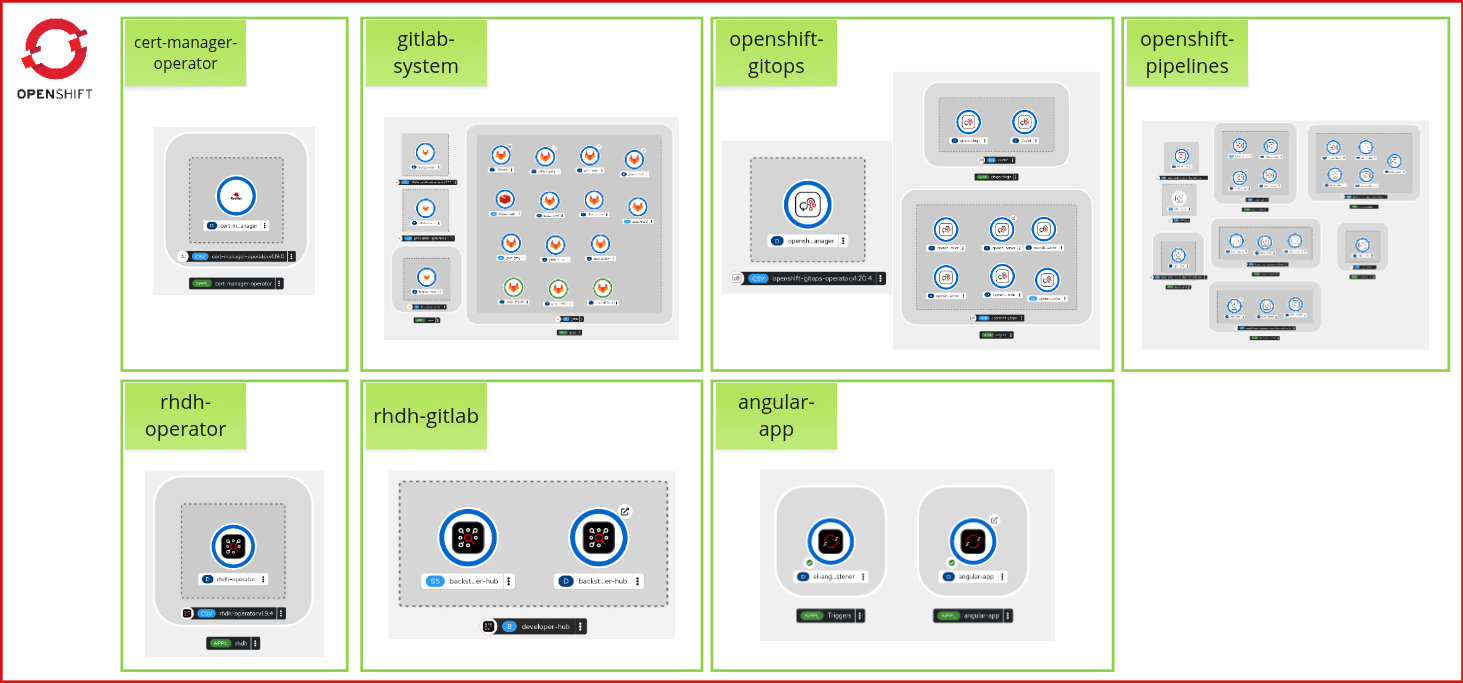
Workshop overview
This workshop shows how to set up a functional Internal Developer Portal based on Red Hat Developer Hub integrated with the most common features and use cases.
| Module | Topic |
|---|---|
Operators, GitLab, base Red Hat Developer Hub |
|
Set up Red Hat Developer Hub configuration and secrets |
|
Authentication, catalog, and users and groups autodiscovery |
|
Role-based access control (RBAC) |
|
Software Templates and component creation |
|
Use of dynamic plugins |
|
Installation and configuration of TechDocs |
|
High availability, dynamic plugins cache, monitoring, observability, and notifications |
|
Workflows creation and execution |
|
Model Context Protocol (MCP) and Developer Lightspeed |
|
External database and CI/CD pipelines |
Technical requirements
This repository was tested and verified in the following environment provided by the Red Hat Demo Platform:
You must have cluster-admin privileges to install the different operators required for this technical exercise.
|
Environment setup
Order a Red Hat OpenShift Container Platform Cluster (Multi-Cloud) from the Red Hat Demo Platform with the following options:
| Option | Value |
|---|---|
Activity |
Practice / Enablement |
Purpose |
Learning about the product |
Cloud Provider |
cnv |
OpenShift Version |
4.21 |
Cluster Size |
sno |
Create Users on Cluster |
Unchecked |
Enable OpenShift Lightspeed |
Unchecked |
| Order your cluster before the lab begins — provisioning can take up to 60 minutes. Once provisioning is complete you will receive an email with your cluster credentials and console URL. |
Software versions
The content of this workshop was tested:
-
Red Hat OpenShift Container Platform 4.21
-
Red Hat Developer Hub Operator 1.10
-
GitLab Operator 3.0.0
-
GitLab Server 18.12.0
-
Web browser (Chrome, Firefox, or Edge)