Orchestrator
Previously we created a component based on a Software Template. However, developer self-service requests might require more than what a Software Template can provide natively. For example, certain requests might require an approval, while others might involve long-running, stateful processes - this is where the Orchestrator for Red Hat Developer Hub can help. It addresses the fact that regular Software Templates are stateless "run and done" processes.
The Orchestrator extends Red Hat Developer Hub with support for workflows created using SonataFlow. The Orchestrator project website and documentation is available at rhdhorchestrator.io.
The Orchestrator feature effectively acts as an interface between Red Hat Developer Hub and SonataFlow-powered workflows, providing a listing and the ability view and run workflows directly from Red Hat Developer Hub.
In summary the Orchestrator feature for Red Hat Developer Hub enables teams to create stateful workflows using open standards, and provide them in a self-service manner through their internal developer portal.
Installation
To enable running stateful workflows we need to install the OpenShift Serverless Logic Operator:
oc apply -f ./content/modules/ROOT/examples/lab-prep/logic-operator-rhel8-operator.yamlAnd confirm its successful installation:
on 🎩 ❯ oc get csv -n openshift-serverless-logic
NAME                     DISPLAY                               VERSION   REPLACES                 PHASE
logic-operator.v1.38.0   OpenShift Serverless Logic Operator   1.38.0    logic-operator.v1.37.2   Succeeded
To enable the Orchestrator feature, we need to enable the following dynamic plugins (OCI images; {{inherit}} resolves to the Red Hat Developer Hub 1.9 version provided by the operator):
-
red-hat-developer-hub-backstage-plugin-orchestrator -
red-hat-developer-hub-backstage-plugin-orchestrator-backend -
red-hat-developer-hub-backstage-plugin-scaffolder-backend-module-orchestrator -
red-hat-developer-hub-backstage-plugin-orchestrator-form-widgets
After enabling the Orchestrator plugin, the Red Hat Developer Hub Operator automatically provisions the following required dependencies:
-
A
SonataflowPlatformCR. By default will use the Postgresql configuration of Red Hat Developer Hub to create the database to persist workflow results and other metadata. -
NetworkPoliciesthat allow traffic between infrastructure resources (Knative, Serverless Logic Operator), monitoring traffic, and intra-namespace traffic.
The database configuration is loaded from the backstage-psql-secret-developer-hub secret
and the connectivity will be by the backstage-psql-developer-hub service. Details Here.
|
As RBAC is enabled, it is needed to add some extra rules to manage the new plugin to allow users to operate with the workflows
installed. Basically we need to extend the RBAC configuration adding the orchestrator plugin:
    permission:
      enabled: true
      rbac:
        admin:
          users:
            - name: user:default/root
        policies-csv-file: /opt/app-root/src/rbac/rbac-policy.csv
        conditionalPoliciesFile: /opt/app-root/src/rbac/rbac-conditional-policies.yaml
        policyFileReload: true
        pluginsWithPermission:
          - catalog
          - scaffolder
          - permission
          - orchestrator # New Entry
And add new RBAC policies to allow or deny the usage of the workflows. For example, we are allowing users of the team-a to operate them,
but the users of team-b can’t execute one of the workflows:
    # Orchestrator permissions
    p, role:default/team-a, orchestrator.workflow, read, allow
    p, role:default/team-a, orchestrator.workflow.use, update, allow
    p, role:default/team-a, orchestrator.workflowAdminView, read, allow
    p, role:default/team-a, orchestrator.instanceAdminView, read, allow
    # Orchestrator permissions - Unable to execute the greeting workflow
    p, role:default/team-b, orchestrator.workflow.greeting, read, allow
    p, role:default/team-b, orchestrator.workflow.use.greeting, update, deny
For more details, review the permissions documentation of the Orchestrator plugin.
So, to complete the installation run:
oc apply -f ./content/modules/ROOT/examples/exercises/dynamic-plugins-13.yaml -n rhdh-gitlab
oc apply -f ./content/modules/ROOT/examples/exercises/rbac-policy-configmap-13.yaml -n rhdh-gitlab
oc apply -f ./content/modules/ROOT/examples/exercises/rhdh-app-configmap-13.yaml -n rhdh-gitlab
oc apply -f ./content/modules/ROOT/examples/exercises/rhdh-instance-13.yaml -n rhdh-gitlab
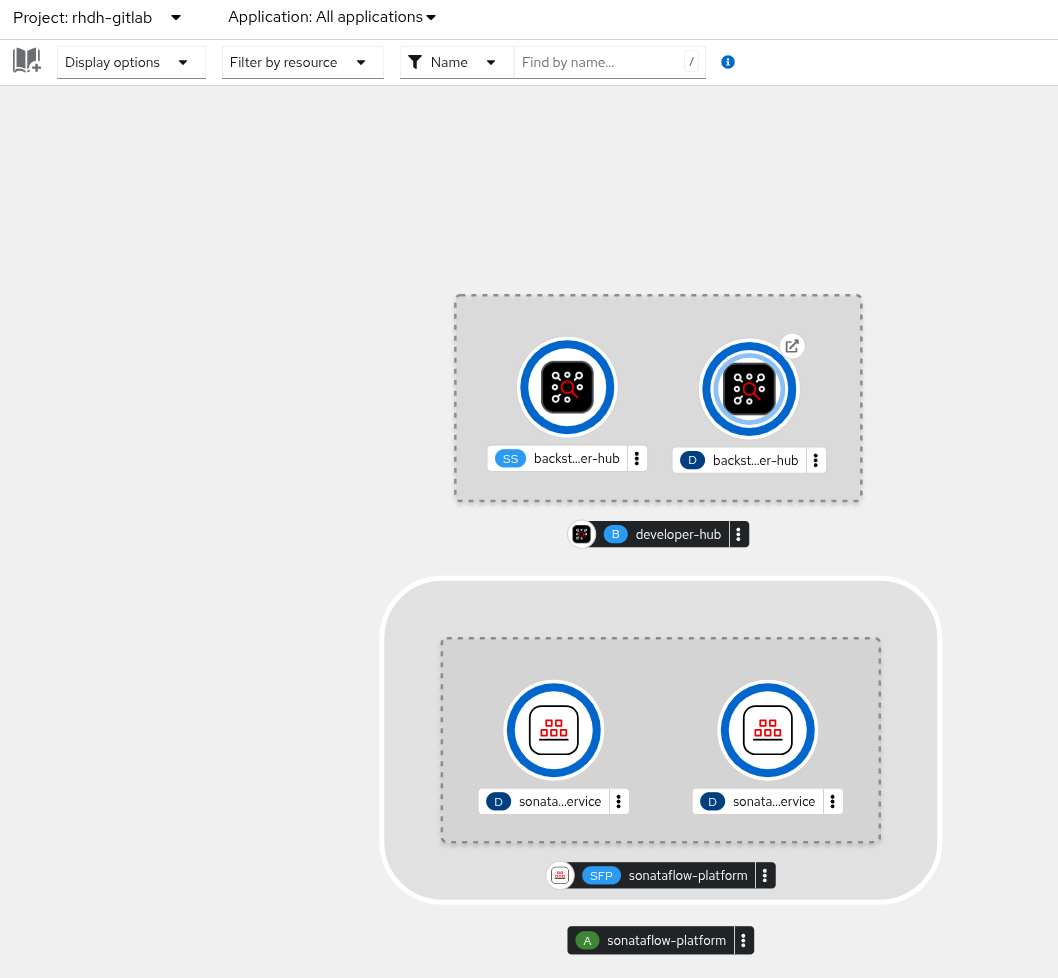
Return to the Topology View for the rhdh-gitlab namespace and wait for the SonataFlowPlatform pods to become ready.
It might take a few minutes for both the Red Hat Developer Hub and SonataFlowPlatform pods to become ready and stabilize,
since the SonataFlow pods depend on the new instance of Red Hat Developer Hub to initialize with the newly enabled plugins.
The new topology should looks like as:
Deploy a Sample Workflow
Now, it is time to deploy a simple workflow and verify its integration into Red Hat Developer Hub. To do it, let’s deploy this sample of Red Hat Advanced Developer Suite repository:
helm repo add workflows https://redhat-ads-tech.github.io/orchestrator-workflows/
helm repo update workflows
helm install greeting-workflow workflows/greeting -n rhdh-gitlab
After some minutes, the workflow should appear in Red Hat Developer Hub as:
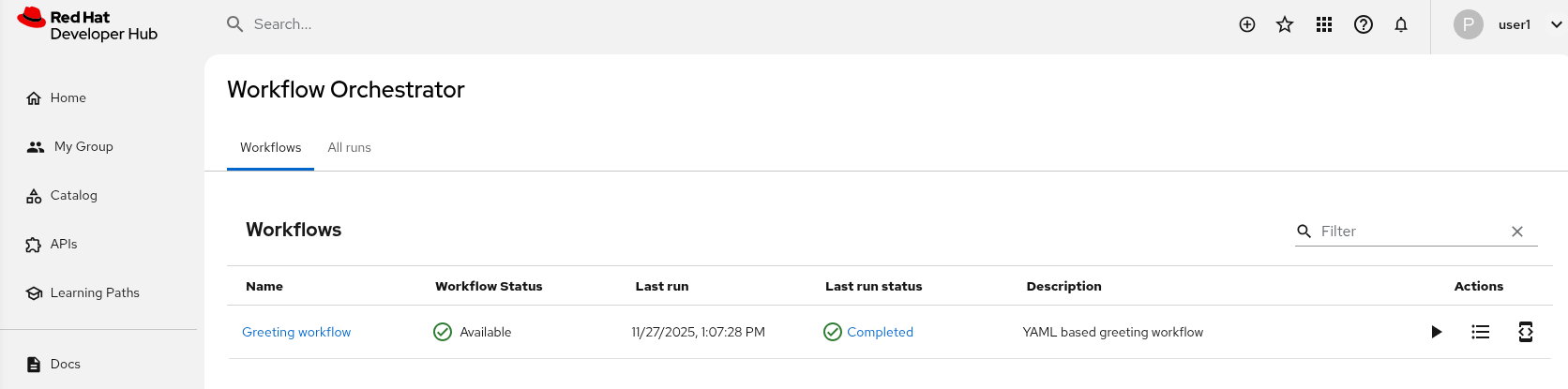
Run it and verify the results.
If you are logged as a team-b member, then you are not allowed to run it.
|