CI/CD pipelines
This exercise describes the main steps and commands to integrate Red Hat Developer Hub with Tekton (CI), Kubernetes, and Argo CD (CD) using the dynamic plugins. In the Developer Hub UI you can then visualize pipeline runs from Red Hat OpenShift Pipelines, deployment status from Red Hat OpenShift GitOps, and OpenShift/Kubernetes resources. The exercise ends with onboarding a sample Angular application and verifying the CI/CD and deployment tabs on its entity page.
Prerequisites
-
Red Hat OpenShift Pipelines operator installed.
-
Red Hat OpenShift GitOps operator installed with the default Argo CD instance.
Install Red Hat OpenShift Pipelines operator
Red Hat OpenShift Pipelines provides a cloud-native CI/CD solution based on Tekton.
The operator is installed in the openshift-operators namespace and is available cluster-wide.
Run:
oc apply -f ./content/modules/ROOT/examples/exercises/pipelines-operator-17.yamlThe operator is installed in the openshift-operators namespace. Verify the status:
oc get csv -n openshift-operators -l operators.coreos.com/openshift-pipelines-operator-rh.openshift-operators=Wait until the PHASE is Succeeded before continuing. You can also verify that the
TektonConfig and related resources are created:
on 🎩 ❯ oc get tektonconfig -A
NAME     VERSION   READY   REASON
config   1.22.0    True
Install Red Hat OpenShift GitOps operator
Red Hat OpenShift GitOps uses Argo CD to implement continuous deployment for cloud-native applications.
The operator is installed in the openshift-gitops-operator namespace. After installation,
it automatically creates a default Argo CD instance that is ready to use.
Run:
oc apply -f ./content/modules/ROOT/examples/exercises/gitops-operator-17.yamlThe operator is installed in the openshift-gitops-operator namespace. Verify the operator status:
on 🎩 ❯ oc get csv -n openshift-gitops-operator
NAME                                      DISPLAY                        VERSION    REPLACES                                  PHASE
openshift-gitops-operator.v1.20.3         Red Hat OpenShift GitOps       1.20.3     openshift-gitops-operator.v1.20.2         Succeeded
Wait until the PHASE is Succeeded.
Default Argo CD instance location
The Red Hat OpenShift GitOps Operator automatically deploys a default Argo CD instance in
the openshift-gitops namespace. This is the cluster-scoped Argo CD instance used for GitOps workflows.
Verify that the default Argo CD instance and its pods are running:
oc get pods -n openshift-gitopsYou should see pods such as openshift-gitops-application-controller-0, openshift-gitops-server-xxxx, openshift-gitops-repo-server-xxxx, and others.
To access the Argo CD web UI from the OpenShift console: Applications (or the application launcher) → OpenShift GitOps → Cluster Argo CD.
You can also obtain the Argo CD admin password from the secret in the openshift-gitops namespace:
oc get secret openshift-gitops-cluster -n openshift-gitops -o jsonpath='{.data.admin\.password}' | base64 -dThe instance is deployed in the openshift-gitops namespace and available at:
echo https://$(oc get route openshift-gitops-server -n openshift-gitops -o jsonpath='{.spec.host}')The default instance is automatically configured for a specific set of permissions but as stated earlier
typically this will need to be expanded in order for Argo CD to be able to deploy all of the resources
required. Red Hat recommends using the default openshift-gitops instance for cluster configuration so
for simplicity we will give the appropriate Argo CD service account cluster-admin level permissions.
| If you want to provide Argo CD as a service to application/developer teams Red Hat recommends standing up a separate Argo CD instance dedicated for this in a different namespace with restricted cluster permissions. |
To provide cluster-admin permissions to Argo CD, we need to create a ClusterRoleBinding for the
openshift-gitops-argocd-application-controller service account as this is the one Argo CD uses for
interacting with the Kubernetes API to deploy resources. To do so, run this command:
oc adm policy add-cluster-role-to-user --rolebinding-name="openshift-gitops-cluster-admin" cluster-admin -z openshift-gitops-argocd-application-controller -n openshift-gitopsIntegration with Argo CD
The Argo CD plugin needs the URL and credentials of your Argo CD instance.
Add them to the rhdh-secrets secret so the app config
can use ${ARGOCD_URL}, ${ARGOCD_USERNAME}, and ${ARGOCD_PASSWORD}.
-
Argo CD URL - default OpenShift GitOps instance:
export ARGOCD_URL=$(oc get route openshift-gitops-server -n openshift-gitops -o jsonpath='https://{.spec.host}' 2>/dev/null || echo "https://openshift-gitops-server-openshift-gitops.${BASEDOMAIN}") -
Argo CD admin and password credentials:
export ARGOCD_USERNAME="admin" export ARGOCD_PASSWORD=$(oc get secret openshift-gitops-cluster -n openshift-gitops -o jsonpath='{.data.admin\.password}' | base64 -d) -
Encode and patch
rhdh-secretsto add those variables:export ARGOCD_URL_B64=$(echo -n "$ARGOCD_URL" | base64 -w0) export ARGOCD_USERNAME_B64=$(echo -n "$ARGOCD_USERNAME" | base64 -w0) export ARGOCD_PASSWORD_B64=$(echo -n "$ARGOCD_PASSWORD" | base64 -w0) oc patch secret rhdh-secrets -n rhdh-gitlab -p '{"data":{"ARGOCD_URL":"'"$ARGOCD_URL_B64"'","ARGOCD_USERNAME":"'"$ARGOCD_USERNAME_B64"'","ARGOCD_PASSWORD":"'"$ARGOCD_PASSWORD_B64"'"}}'
Integration with Tekton
The integration with Tekton requires to add some credentials to be used also by the Kubernetes plugin. It is needed to add some privileges to get objects from the OpenShift API.
-
Create a cluster role to read OpenShift objects:
oc apply -f ./content/modules/ROOT/examples/exercises/clusterrole-rhdh-17.yaml -n rhdh-gitlab -
Create a service account to connect to OpenShift:
oc create sa rhdh -n rhdh-gitlab -
Assign the cluster role to the service account created:
oc adm policy add-cluster-role-to-user rhdh-read-only system:serviceaccount:rhdh-gitlab:rhdh oc adm policy add-cluster-role-to-user rhdh-delete-pods system:serviceaccount:rhdh-gitlab:rhdh -
Create a secret to get a long-lived token to authenticate to OpenShift:
oc apply -f - <<EOF apiVersion: v1 kind: Secret metadata: name: rhdh-token namespace: rhdh-gitlab annotations: kubernetes.io/service-account.name: rhdh type: kubernetes.io/service-account-token EOF -
Get token and add into the
rhdh-secretssecret as another env var:
export RHDH_TOKEN_SERVICE_ACCOUNT=$(oc get secret rhdh-token -o go-template='{{.data.token | base64decode}}' -n rhdh-gitlab | base64 -w0)
oc patch secret rhdh-secrets -n rhdh-gitlab -p '{"data":{"RHDH_TOKEN_SERVICE_ACCOUNT":"'"${RHDH_TOKEN_SERVICE_ACCOUNT}"'"}}'-
Declare the API url of OpenShift into the
rhdh-secretssecret:
export APIDOMAIN="api.${BASEDOMAIN#apps.}"
oc patch secret rhdh-secrets -n rhdh-gitlab -p '{"stringData":{"APIDOMAIN":"'"${APIDOMAIN}"'"}}'
Apply Red Hat Developer Hub configuration
There are different areas to update in our Red Hat Developer Hub configuration:
-
Add the new RBAC rules for Tekton and Kubernetes plugins.
-
Declare the dynamic plugins required to enable them.
-
Declare the connection to OpenShift, Argo CD instances and Tekton properties
Apply those changes:
oc apply -f ./content/modules/ROOT/examples/exercises/rbac-policy-configmap-17.yaml -n rhdh-gitlab
oc apply -f ./content/modules/ROOT/examples/exercises/dynamic-plugins-17.yaml -n rhdh-gitlab
oc apply -f ./content/modules/ROOT/examples/exercises/rhdh-app-configmap-17.yaml -n rhdh-gitlab
Verify the installation
To confirm the right installation of those plugins and their features are enabled,
we will create another entity using the Angular Template for GitLab template, which
is already available in our instance.
Create a new instance using the following inputs:
-
Name:
angular-app -
Description:
This is an Angular app with CI/CD pipelines -
Owner:
team-a -
Repository location:
echo gitlab.${BASEDOMAIN}Ensure
BASEDOMAINis set, e.g. your cluster base domain. -
Argo CD instance:
openshift-gitops(default)
Ensure the angular-app namespace exists (the template may create it, or create it manually if needed).
Then trigger the first pipeline execution using the PipelineRun manifest from the repository:
oc apply -f "https://gitlab.${BASEDOMAIN}/team-a/angular-app/-/raw/main/deploy/base/pipelinerun.yaml" -n angular-appAfter creation the following new tabs should appear in our entity dashboard:
-
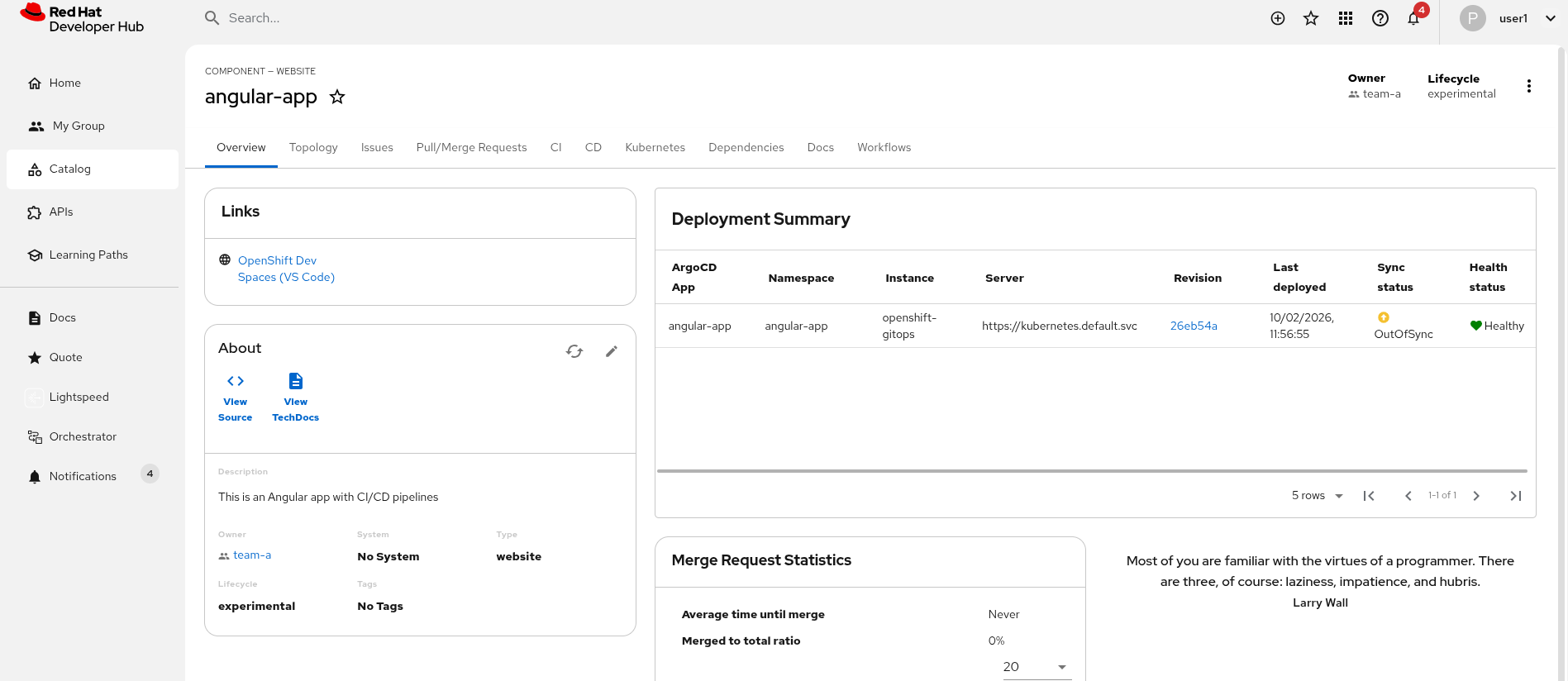
Deployment Summary: Overview of our Argo CD application status.
-
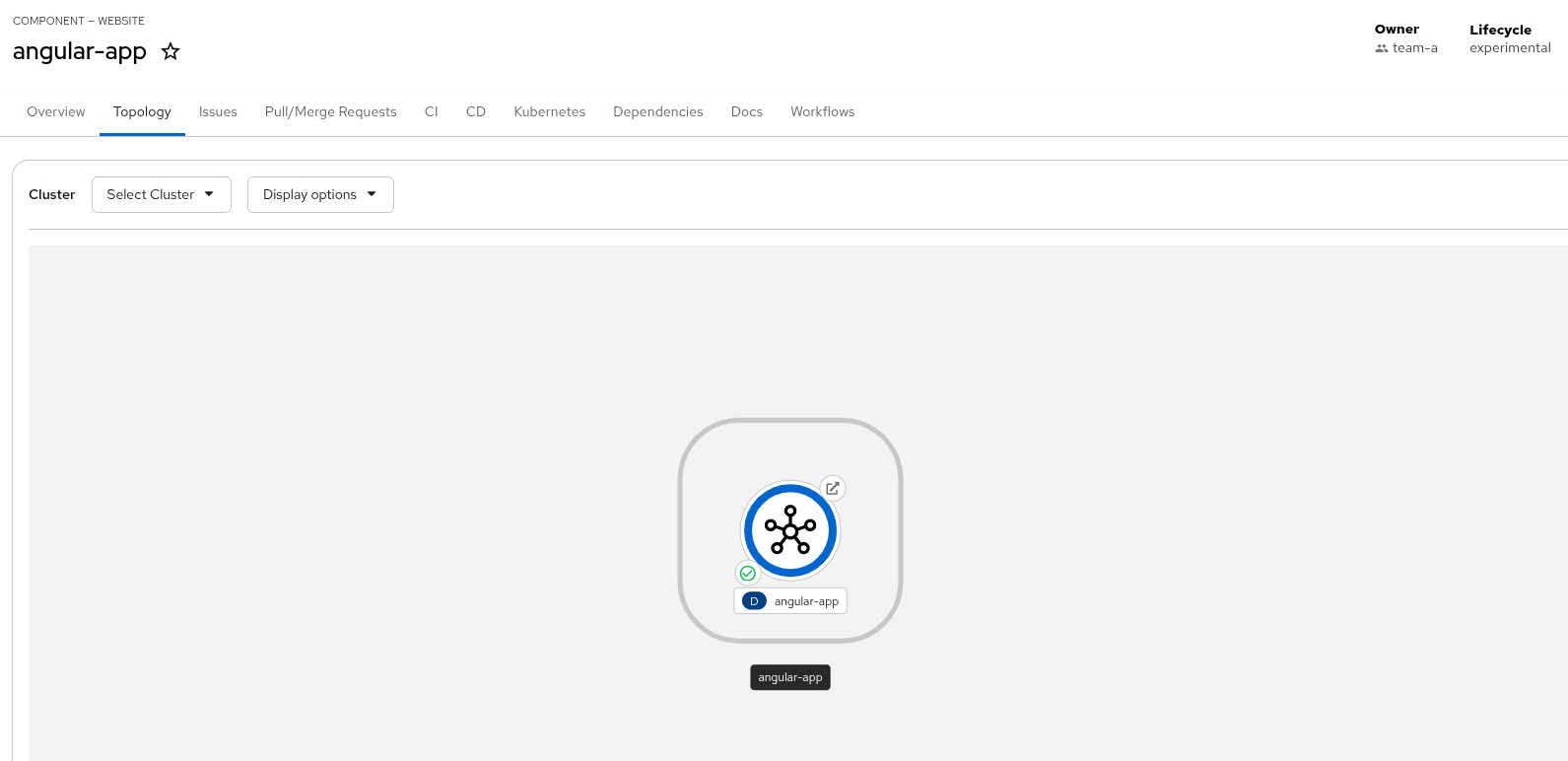
Topology tab: Overview of the deployment topology of our application on OpenShift.
-
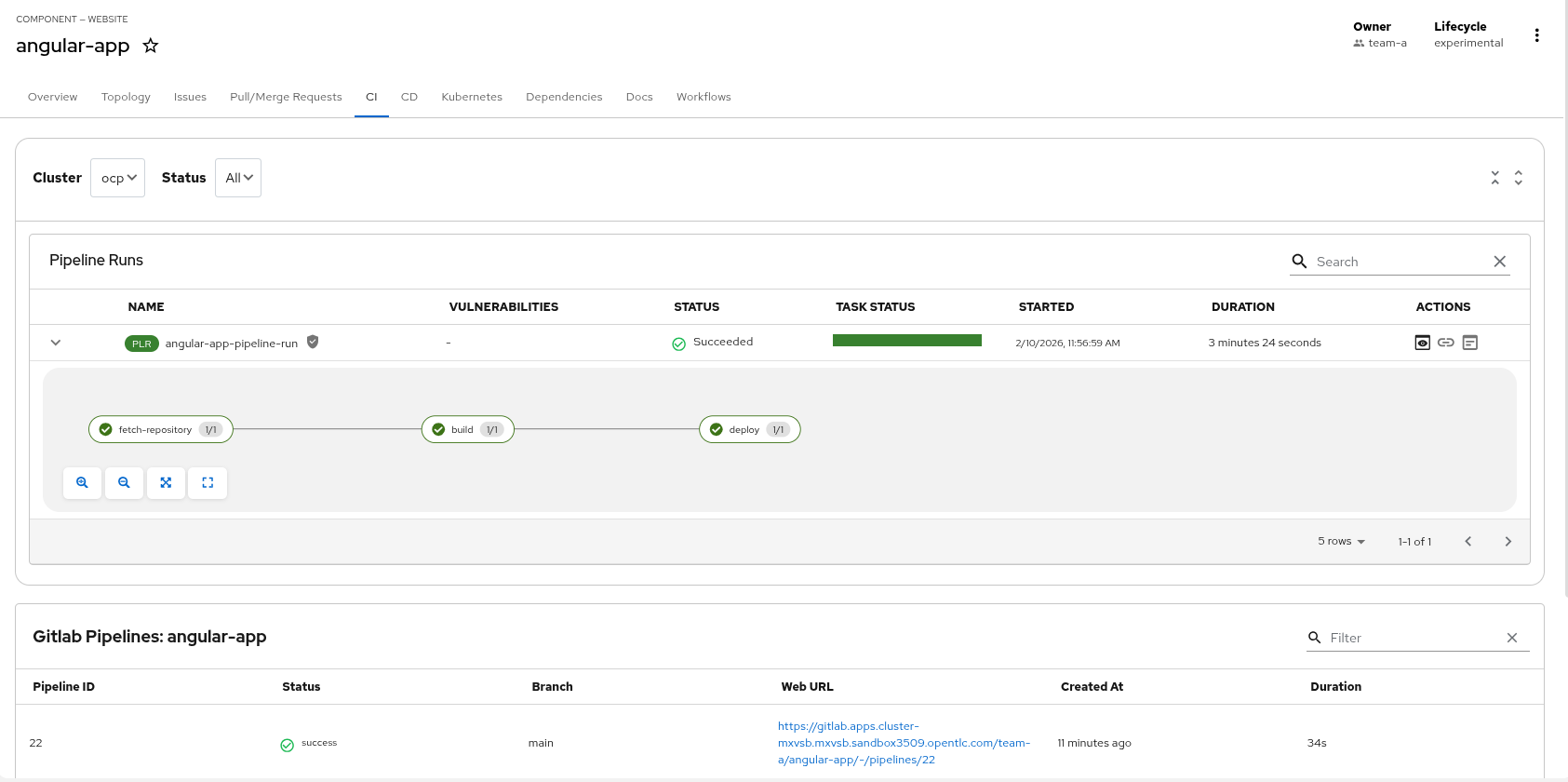
CI tab: Summary of the Tekton PipelineRuns and GitLab Pipelines.
-
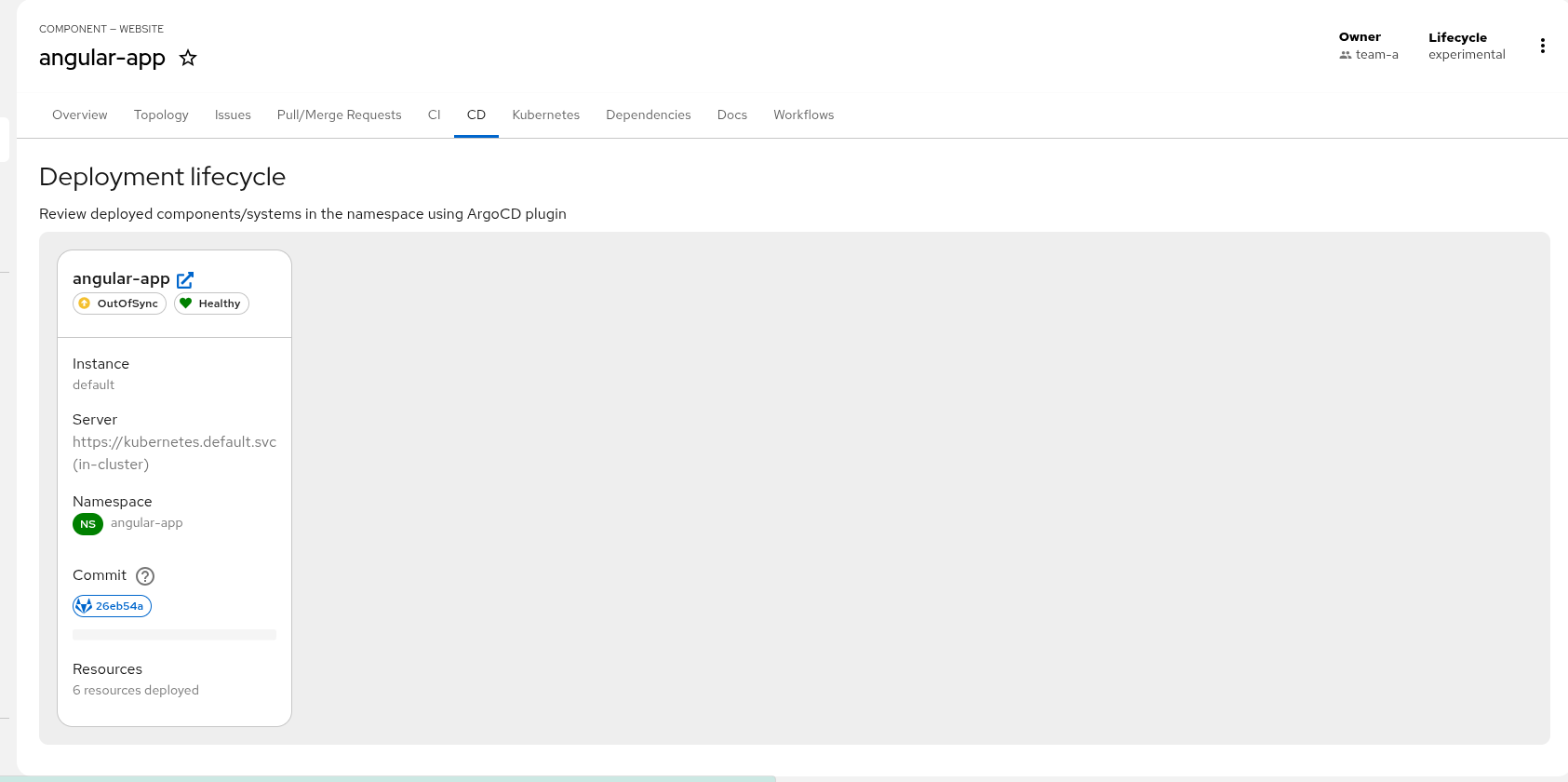
CD tab: Argo CD applications and sync status.
-
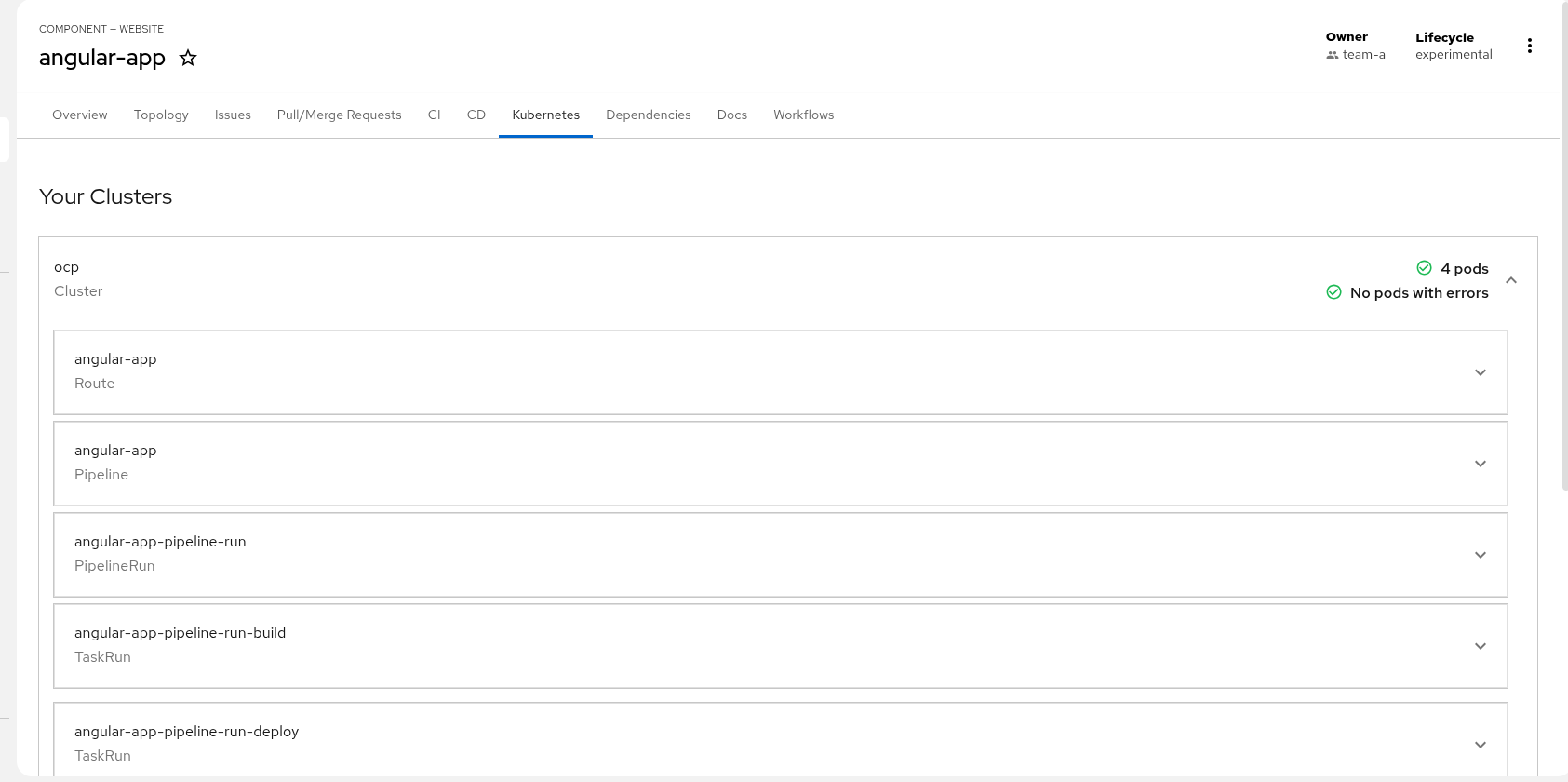
Kubernetes tab: Summary of the OpenShift objects associated to this application.
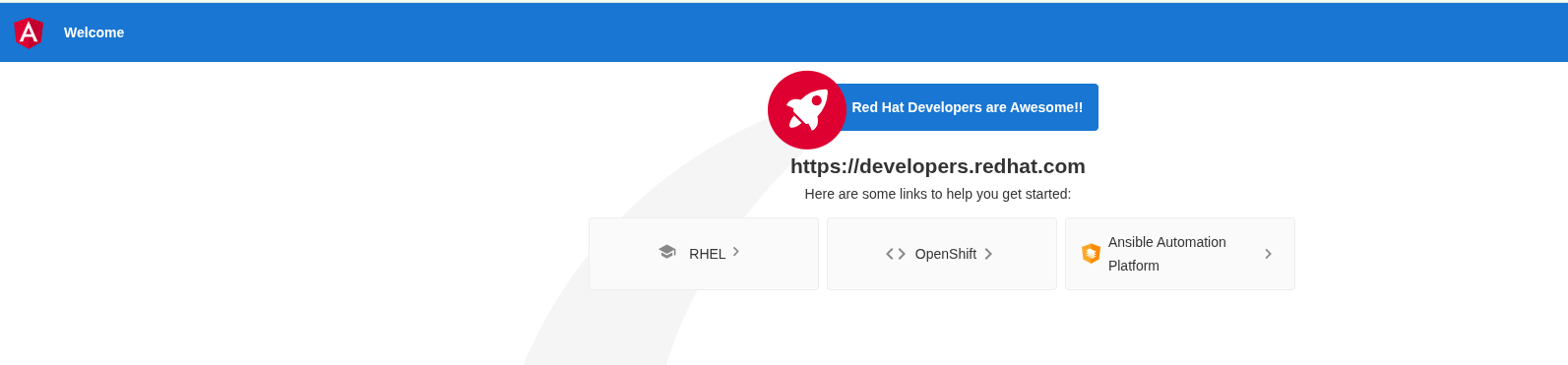
Once the pipeline was completed our application should be available from the Topology tab and we should click the arrow to access it. A similar page should be available:
Entity Annotations
There are some annotations which make the magic to integrate the entity with those plugins.
Those annotations are included in the catalog-info.yaml.
Tekton (PipelineRuns / TaskRuns)
-
backstage.io/kubernetes-id: <entity-name>— ties the entity to Kubernetes resources. -
tekton.dev/cicd: "true"— enables Tekton CI/CD for this entity.
Argo CD (applications)
-
argocd/app-name: '<entity-name>'— label selector used by Argo CD to find the application -
Optional:
argocd/instance-name: 'openshift-gitops'if you use a non-default instance name in app config.
Example snippet:
metadata:
  name: my-service
  annotations:
    backstage.io/kubernetes-id: my-service
    tekton.dev/cicd: "true"
    argocd/app-name: 'angular-app'