Notifications
Previously we created a component based on a Software Template. There is a way to create a relationship
between the component and the software template to track the changes along the time. This process requires
enable the backstage-community-plugin-catalog-backend-module-scaffolder-relation-processor-dynamic plugin
to add the spec.scaffoldedFrom property into the catalog definition. Having that property Red Hat Developer Hub
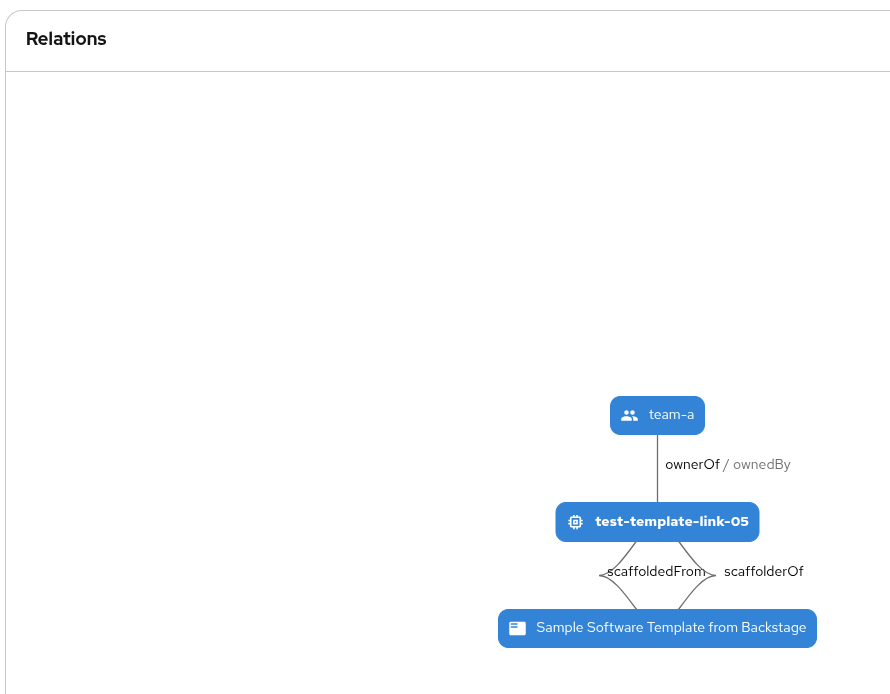
will visualize the relationship between both entities.
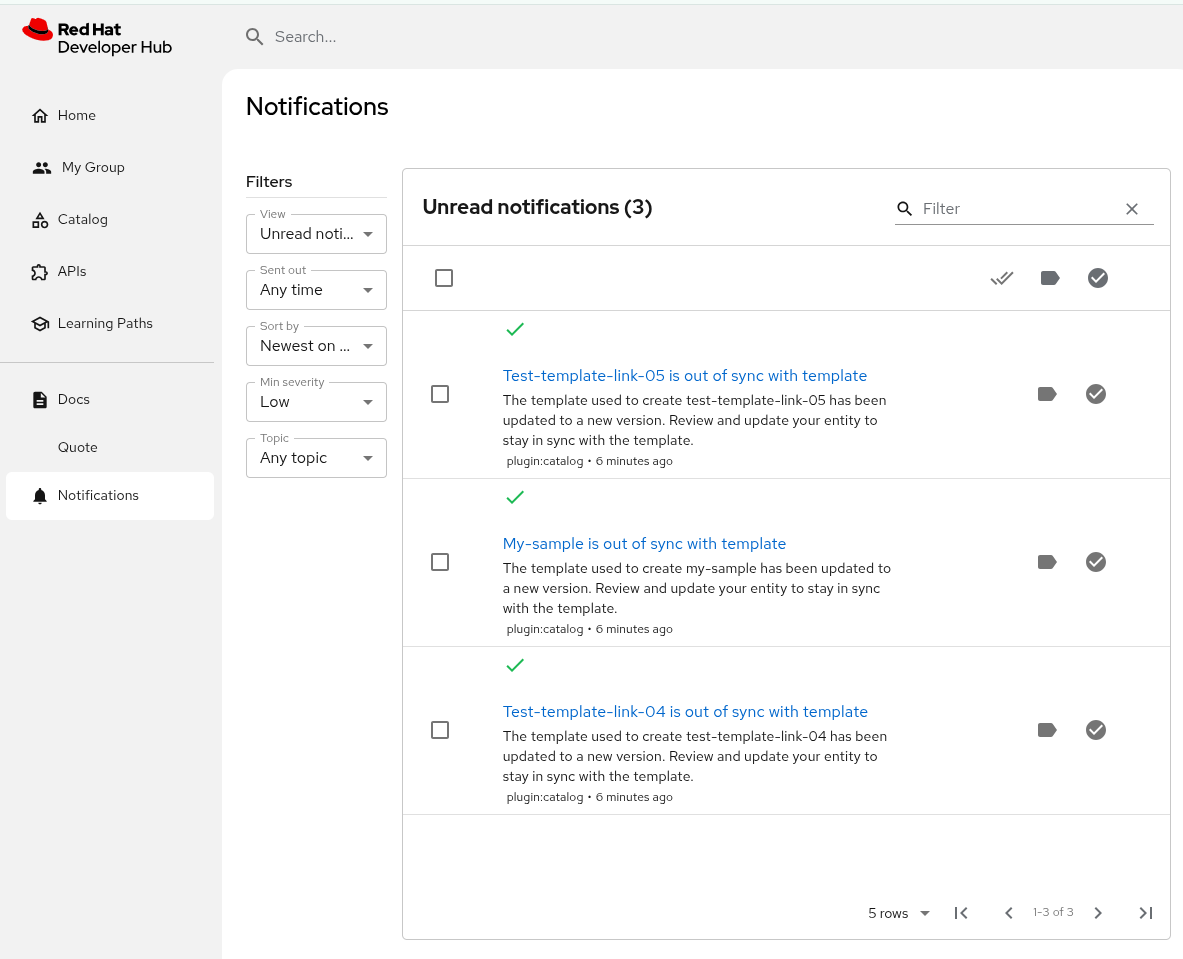
Additionally we can enable notifications when a new version of the template is deployed, so, we can track
that our component was created from a previous version. It can be very helpful to review the new version
of the template and apply some changes into our current version of the component. To enable notifications
the backstage-plugin-notifications and backstage-plugin-notifications-backend-dynamic must be enabled.
Run:
oc apply -f ./content/modules/ROOT/examples/exercises/dynamic-plugins-12.yaml -n rhdh-gitlab
oc apply -f ./content/modules/ROOT/examples/exercises/rhdh-app-configmap-12.yaml -n rhdh-gitlab
To verify the dependency between components and templates, let’s create a new component
using the sample template as we did previously in this exercise. After its creation verify that the spec.scaffolderFrom
exists in the catalog-info.yaml file generated, and we can see the relationship in the Dependencies tab
of the component.